Clear Recent History
Wipe the last 15 minutes. Stay signed in.
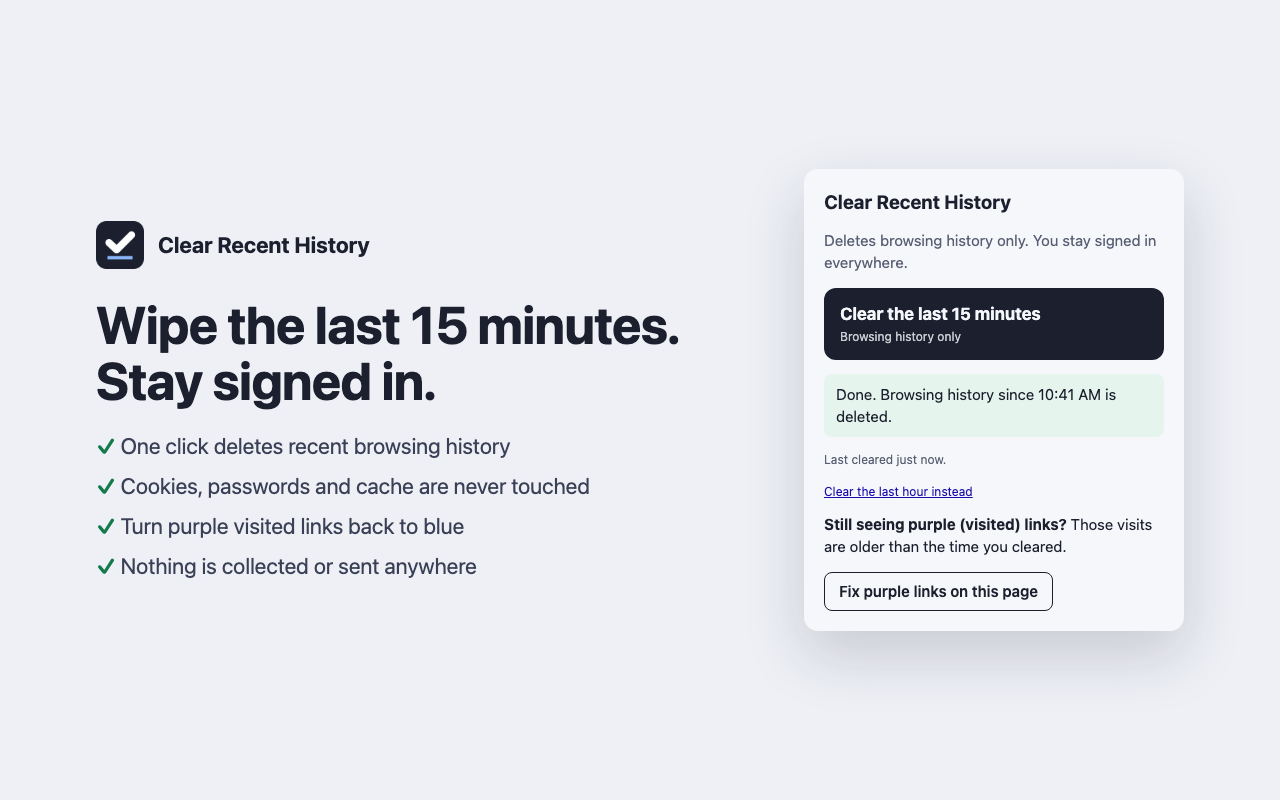
A free Chrome extension that deletes your recent browsing history in one click, without signing you out of anything.
- Coming soon to the Chrome Web Store

Why it exists
Chrome's own "Delete browsing data" window is easy to get wrong: tick the wrong box and you're logged out of every website. Clear Recent History only ever deletes history, so your sign-ins stay put.
It's handy before screen sharing, demos, recordings and user testing, or any time you want the browser to look fresh without logging back in to everything.
What it does
- Clear the last 15 minutes. Deletes browsing history from the last 15 minutes.
- Clear the last hour. The same, for the last 60 minutes.
- Fix purple links on this page. Visited links show in purple. This finds the links on the page you're viewing and removes just those from your history, however long ago you visited them, so they show as unvisited again.
- Sign out of this site only. Optional. Deletes cookies for the one website in your current tab, after you confirm. Every other site stays signed in.
What it never does
- It never deletes cookies, passwords or cached files when you clear history.
- It never runs in the background. It only acts when you click a button.
- It never collects or sends any data. There are no servers, analytics or ads.
Keep exploring

read through
A screenplay, read aloud and barely rehearsed, in front of a ticketed audience. It is a show, and it is how a script finds out whether it should become a film.

ht.live choir
A community choir at ht.live that sings pop songs, meets regularly, and sometimes backs up the singers at our shows.

On Change
A conversation podcast about change: personal, between people, and global. Recorded in batches, prepared like a research project.